
Four steps to set up.
Four steps every cycle.
Setup starts with four steps: your catalog, your dealers, your MAP policies and your monitoring rules. After that, EagleEnforce runs the same loop for every dealer: Watch → Prove → Notify → Cure.
Every cycle: watch, prove, notify, cure
Watch
Monitor dealer websites automatically, on the schedule your plan sets.
Prove
Confirm violations with a second read and timestamped evidence.
Notify
You approve the first contact. Notices go out on your templates.
Cure
Re-check after the cure window and track compliance over time.
Import your catalog.
Three ways in. Upload a CSV, scan your own website, or connect your store through its API. Choose which collections or categories to import.
- CSV with SKU, title, identifiers, MSRP and MAP
- Scan a Shopify, WooCommerce or sitemap-based site
- Connect Shopify Admin, BigCommerce or WooCommerce REST
Add dealer domains.
Paste a domain. EagleEnforce runs a preflight check, detects the platform, reads robots.txt, and only then discovers the pages that carry your products.
- Preflight shows whether the site can be monitored before it is added
- Listings matched to your catalog by SKU, identifier or title
- Hidden prices, password pages and unreadable pages are reported, not guessed
Find the dealers you don't know.
The dealers you can name are the easy part. EagleEnforce has three ways to find the rest, and they all land in one list under Discover where you decide, once, whether each is authorized, unauthorized or not a dealer at all.
- Marketplace sweeps. eBay, Amazon and Walmart are asked, through their own APIs, which sellers list your products by UPC and part number.
- Brave™ Web Search. A weekly search of the open web for every product in your catalog, returning the independent stores and dealer sites that advertise it: the sites Google Shopping links to. 100 searches a month are free; blocks of searches are prepaid, never billed after the fact.
- Google Shopping, if you sell there. Connect your own Merchant Center and Google tells us when the typical Shopping price for one of your products drops below MAP, and which domains compete against your listings. Optional; nothing to connect if you do not sell on Google Shopping.
Nobody can read other sellers' Google Shopping prices by name: Google offers no API for it and forbids reading its pages by program. So Google supplies the alarm and the suspects, and EagleEnforce supplies the evidence from the sellers' own pages.
Set your MAP policies.
One or more named policies with a MAP price per product and an effective date. Promo windows let a sanctioned sale run without triggering a violation.
- Per-product MAP, versioned policies
- Promo windows by date, product or channel
- Enforcement rules: tolerance buffer, hidden-price policy, confirm and resolve thresholds
Model X200 Speaker
- Advertised price
- $249.00
- MAP
- $299.00
- Difference
- −$50.00 (−16.7%)
Start monitoring.
Every listing is re-read on your plan's cadence. A low price becomes a candidate, is re-checked, and is confirmed only after consecutive low reads. Confirmed violations capture evidence and, when automatic case creation is enabled in your enforcement rules, open a case that walks your ladder.
Read 1
Low price detected
Read 2
Still low after re-check
Price back in range
Verified as compliant
- Requires approval
Courtesy Notice
72-hour cure window - Automatic after cure window
Formal Warning
72-hour cure window - Automatic after cure window
Suspension of authorized-dealer benefits
7-day cure window - Requires approval
Termination
Final step
You stay in control.
The first notice requires human approval. Templates and enforcement steps are editable, so the ladder reads the way your brand speaks.
EagleEnforce handles the clock.
When a cure window expires, EagleEnforce re-checks the listing. Compliant listings are cured. Listings still below MAP continue along your ladder.
The dashboard tells you what changed.
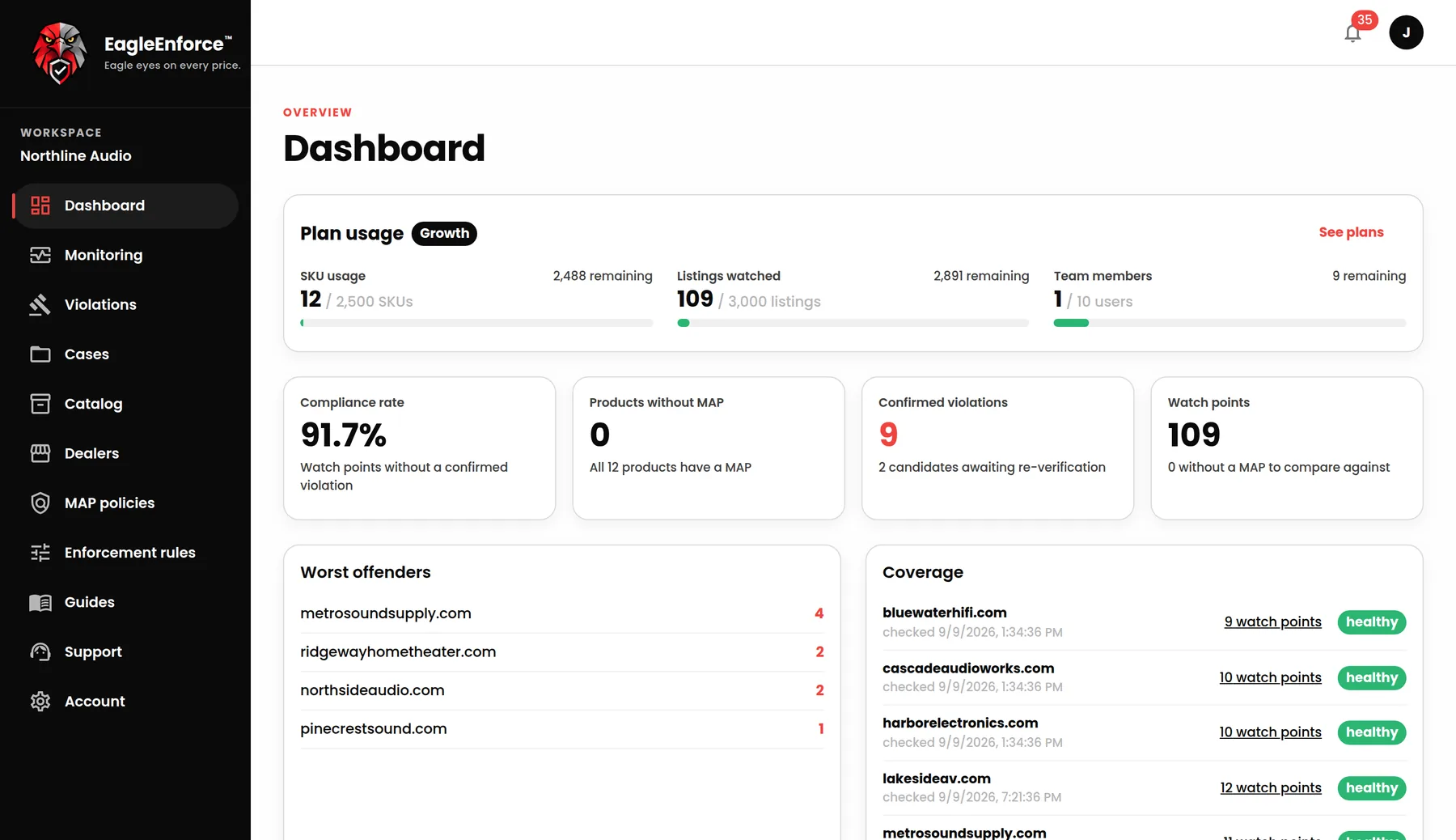
Compliance rate, confirmed violations, worst offenders and per-dealer coverage, refreshed every check. Notifications reach you the way you choose: instant email, daily digest, or in-app only.
No card required. Plans from $39/month. See plans.
Your MAP policy shouldn't depend on someone remembering to check.
Start monitoring your dealers with EagleEnforce. Free for 14 days. No card required.
- Protect your brand equity
- Save time and stay consistent
- See dealer compliance in one place
- Built for brands of every size